

trading Journal
This trading journal doesn’t just track. It improves.
The insights and tools that help you increase consistency, boost results, and trade your strategy with clarity before it ever goes live.
Free with any FX Replay plan
Try the JournalAuto-log every trade, chart, and stat
Track everything in real time—no manual input needed.
Quickly filter trades to spot what works
Focus on high-quality setups and cut what’s dragging you down.
Review sessions and spot patterns fast
Quickly analyze past sessions to improve future decisions.
Cut the noise
Focus on the setups that actually work
This Journal helps you spot what drives performance—and skip the rest.
Advanced Tag Engine
See what works—and what doesn’t with AI
See which tag combinations deliver the highest win rate and returns and which ones to avoid so you can focus only on your most profitable setups.

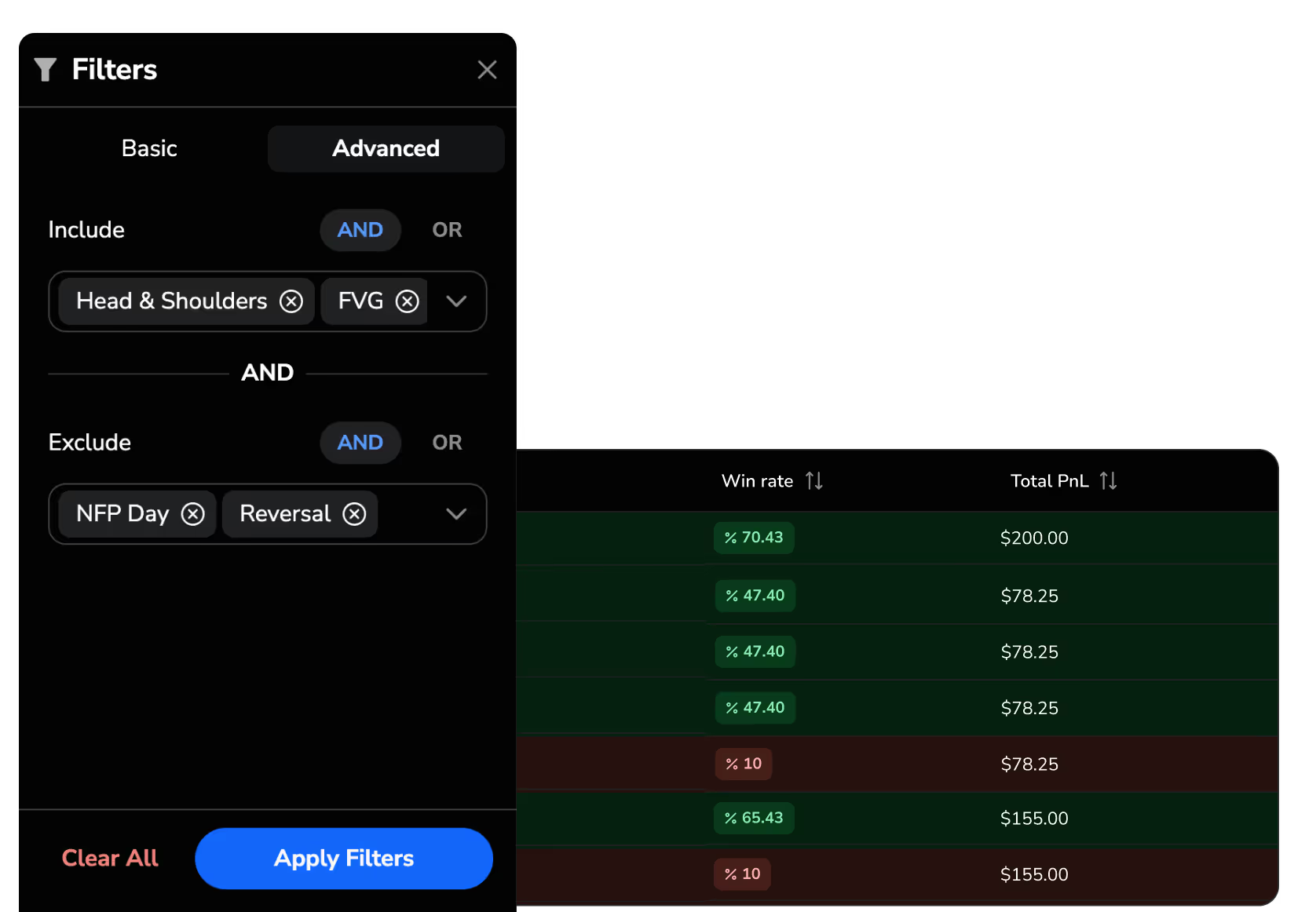
Powerful Filtering
Analyze exactly what matters
Use advanced filters with AND/OR and Include/Exclude logic to isolate key patterns, setups, or trade conditions. Customize your view to spot strengths, weaknesses, and repeatable edges fast.
Universal CSV Import
Bring your trade history with you
Upload from any trading platform or old journal. Our smart importer maps your columns and gets you analyzing in seconds—no tech headaches.


Real-Time Platform Sync
Compatible with your favorite trading platforms
Sync your trades automatically or upload your files — so you can focus on improving your performance, not managing data.






Have questions? We’ve got answers.
Couldn't find your question here?
Go check out our Help Center below!
What is a trading journal, and why do I need one?

How is FX Replay's trading journal different from Edgewonk, TradeZella, or a spreadsheet?
What trading platforms does the journal sync with?
How does the AI tag engine work?
Can I filter trades by multiple conditions at once?
Is the trading journal included in the free plan?


